
Automation with Github Actions
This document will talk about how we setup our projects within github to allow for a high degree of automation. It will cover the concepts behind why we do it, and the details required to set this up for yourself.
Target Audience
Technical contributors working with Adobe Developer App Builder and Adobe Commerce inside of Github
Github Actions
Github Actions are a great way to automate most anything in a project, and Adobe has provided some actions and tools we can leverage do do various things. This will digest how we use them internally here at Blue Acorn.
Deployments
We follow Adobe’s standard github actions for triggering deployments, which use the official aio-apps-action to manage authentication using oauth server-to-server.
Deployment Flow
Pushing to main tiggeres a deployment to the Stage App Builder workspace
Publishing a release triggeres a deployment to the Prod App Builder workspace
For some apps, pushing to main _also triggeres a deployment to a PaaS workspace (see Shipstation). This allows us to have a dedicated configuration for our PaaS sandboxes._
For local development we suggest each developer create a workspace within the app project for their work, for example most of our projects will have workspaces so doug and max can work withot stepping on each others toes.
Workspaces and Adobe Commerce
While commerce admins can support multiple apps, they must all use the same workspace.
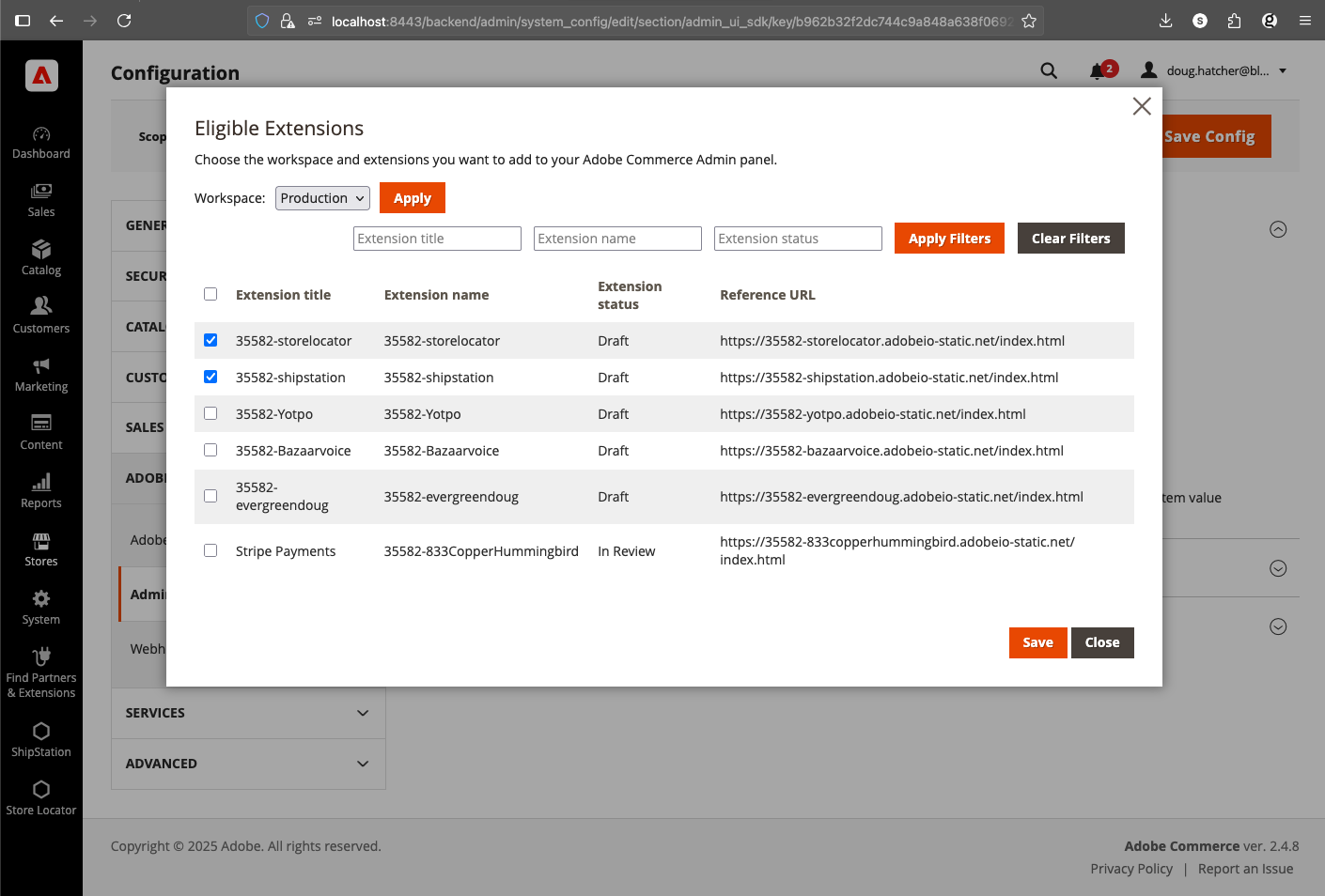
It’s important to know that all admin apps for ancurrently in August 2025, Adobe Commerce supports Admin apps but it doesn’t have app permanance, meaning that it routinely forgets which apps are installed and a developer must configure them when they login to the admin.
Setting up Github Actions
Reference action: Store Locator Deployment Action
As you can see, Adobe provides an aio-apps-action that can handle authentication:
...
      - name: Auth
        uses: adobe/[email protected]
        with:
          os: $
          command: oauth_sts
          CLIENTID: $
          CLIENTSECRET: $
          TECHNICALACCOUNTID: $
          TECHNICALACCOUNTEMAIL: $
          IMSORGID: $
          SCOPES: $
...
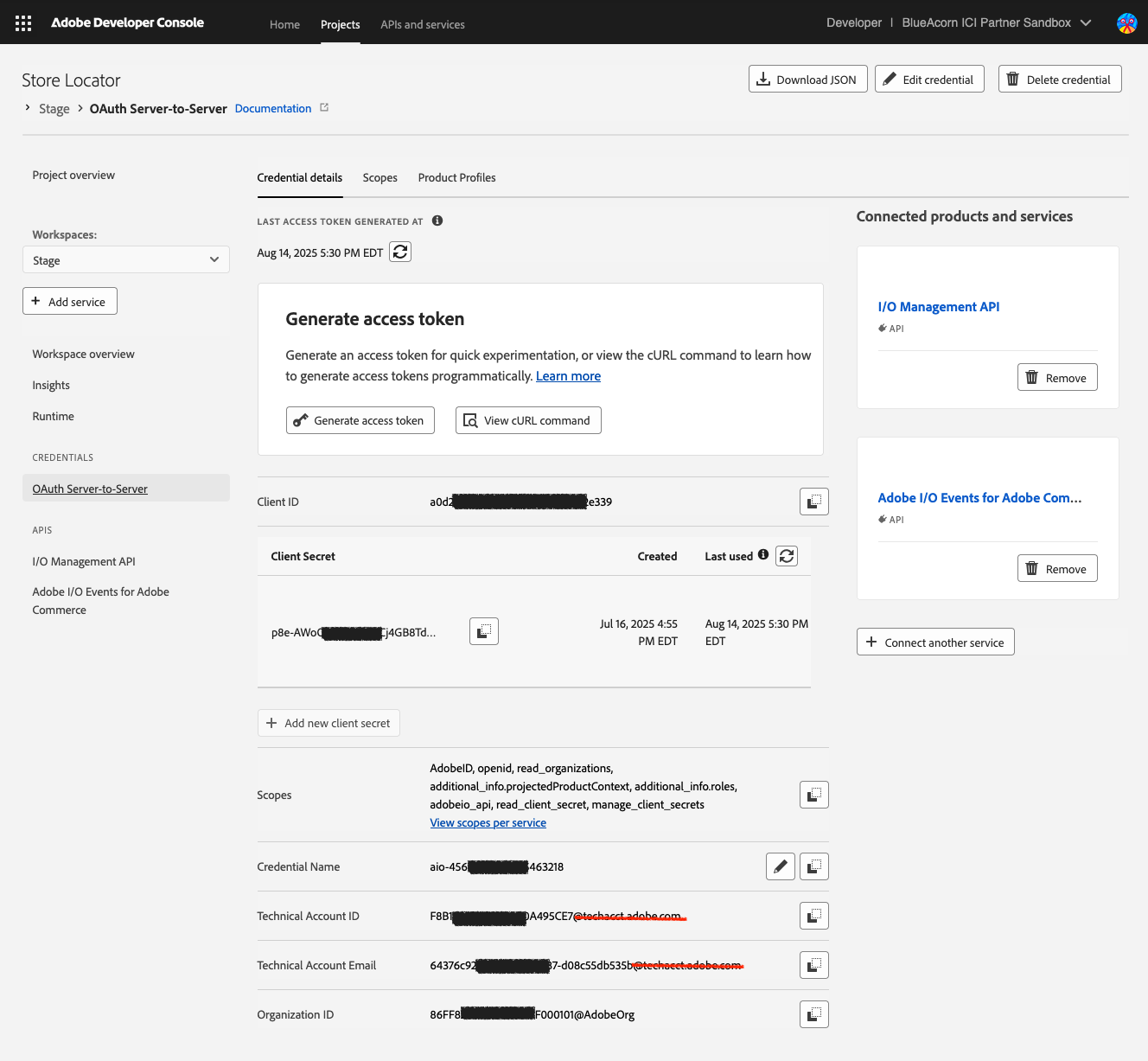
These must be fetched, and leverage the Oauth Server-to-Server (oauth-sts) authentication method.
Note about Deploying API Mesh
API Mesh uses a different deployment mechanism and requires a different auth flow